Hewlett-Packard 3478A
3478A
5.5-digit digital multimeter with HP-IB (proprietary command set)
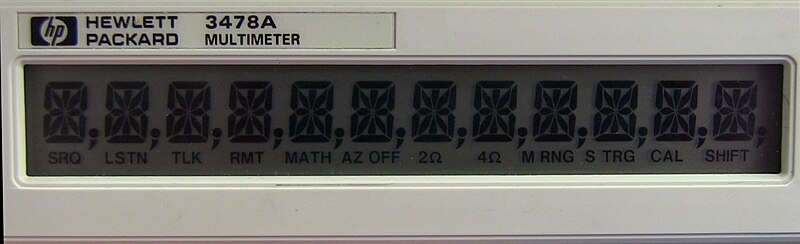
The HP 3478A is a 5.5-digit bench multimeter produced from 1981 to the late 1990s. It uses a proprietary HP-IB command set consisting of short ASCII codes (F1, R3, T1, N5, etc.) — it predates both IEEE 488.2 and SCPI. There is no *IDN? query; the instrument must be identified by GPIB address or manual assignment. The idn_patterns field contains speculative patterns for systems that may synthesize IDN-like responses, but the 3478A itself will not respond to *IDN?. Multiple command codes can be concatenated into a single string (e.g., 'F1RAT1N5Z1'). Calibration commands (C prefix) are intentionally omitted from this catalog entry. The 3478A remains popular in hobbyist and small-lab settings due to its reliability, low cost on the used market, and adequate performance for general-purpose measurements.
Status Byte
Section titled “Status Byte”| Bit 7 | Bit 6 | Bit 5 | Bit 4 | Bit 3 | Bit 2 | Bit 1 | Bit 0 |
|---|---|---|---|---|---|---|---|
| Data Ready | RQS | Invalid Cal | Front Panel SRQ | Hardware Error | Syntax Error | Unused | Front Panel SRQ |
| New measurement reading is available | Requesting service (set when SRQ line asserted) | Invalid calibration data detected | Front panel SRQ button pressed | Internal hardware error detected | Command syntax error detected | Not used | SRQ generated from front panel button |
Read via serial poll (++spoll). This instrument predates IEEE 488.2 — there is no *STB? or *SRE command. Use the M0/M1 commands to configure the SRQ mask. Bit 7 (Data Ready) is the most commonly used for measurement synchronization.
Commands
Section titled “Commands”Function Selection
Section titled “Function Selection”Select the measurement function. Commands are single-byte codes sent directly over GPIB (no query form). The instrument echoes no response; it simply changes mode.
| Command | Type | Description |
|---|---|---|
F1 | command | Select DC Volts measurement function |
F2 | command | Select AC Volts measurement function |
F3 | command | Select 2-wire Ohms measurement function |
F4 | command | Select 4-wire Ohms measurement function |
F5 | command | Select DC Current measurement function |
F6 | command | Select AC Current measurement function |
F7 | command | Select Extended Ohms measurement function (guard terminal active) |
Details Note: Extended Ohms uses the guard terminal for high-resistance measurements with better noise rejection | ||
Range Selection
Section titled “Range Selection”Select the measurement range. Range codes are function-dependent. RA selects autorange. Specific range codes use R followed by an exponent-like number (R-2 through R7). Invalid range codes for the current function will produce a syntax error.
| Command | Type | Description |
|---|---|---|
RA | command | Enable autoranging for the current measurement function |
R-2 | command | Select 30mV range (DC Volts only) |
Details Note: Only valid for DC Volts (F1) | ||
R-1 | command | Select 300mV range (DC Volts, AC Volts) or 300mA range (DC/AC Current) |
Details Note: DC Volts: 300mV, AC Volts: 300mV, DC Current: 300mA, AC Current: 300mA | ||
R0 | command | Select 3V range (DC/AC Volts) or 3A range (DC/AC Current) |
Details Note: DC Volts: 3V, AC Volts: 3V, DC Current: 3A, AC Current: 3A | ||
R1 | command | Select 30V range (DC/AC Volts) or 30 ohm range (Ohms) |
Details Note: DC Volts: 30V, AC Volts: 30V, Ohms: 30 ohm | ||
R2 | command | Select 300V range (DC/AC Volts) or 300 ohm range (Ohms) |
Details Note: DC Volts: 300V, AC Volts: 300V, Ohms: 300 ohm | ||
R3 | command | Select 3k ohm range (Ohms functions only) |
R4 | command | Select 30k ohm range (Ohms functions only) |
R5 | command | Select 300k ohm range (Ohms functions only) |
R6 | command | Select 3M ohm range (Ohms functions only) |
R7 | command | Select 30M ohm range (Ohms functions only) |
Trigger Control
Section titled “Trigger Control”Select the trigger mode. Controls how and when the instrument takes measurements.
| Command | Type | Description |
|---|---|---|
T1 | command | Internal trigger — instrument free-runs, taking continuous measurements |
T2 | command | External trigger — measurement triggered by rear-panel external trigger input |
T3 | command | Single trigger — one measurement per Group Execute Trigger (GET) or Talk |
Details Note: After the reading is taken, the instrument holds until the next trigger event | ||
T4 | command | Trigger hold — instrument stops triggering until another trigger mode is selected |
Details Note: Useful to freeze the instrument while changing configuration | ||
T5 | command | Fast trigger — like internal trigger (T1) but at maximum conversion speed |
Details Note: Fastest reading rate. Display may not update on every reading. | ||
Number of Digits (Resolution)
Section titled “Number of Digits (Resolution)”Set the display resolution (number of digits). Fewer digits means faster measurement speed.
| Command | Type | Description |
|---|---|---|
N3 | command | Set 3.5-digit resolution (fastest readings) |
Details Note: Fastest measurement speed, lowest resolution | ||
N4 | command | Set 4.5-digit resolution (balanced speed/resolution) |
N5 | command | Set 5.5-digit resolution (highest resolution, slowest readings) |
Details Note: Maximum resolution, approximately 2.7 readings/second on 60Hz line | ||
Autozero
Section titled “Autozero”Control the autozero function. Autozero corrects for thermal drift and offset errors by periodically measuring the internal zero reference.
| Command | Type | Description |
|---|---|---|
Z0 | command | Disable autozero — doubles measurement speed but allows offset drift |
Details Note: Disabling autozero approximately doubles the reading rate. Offset errors will accumulate over time and temperature changes. | ||
Z1 | command | Enable autozero (default) — each measurement includes an internal zero correction |
Display Control
Section titled “Display Control”Control the front panel display. Writing text to the display can be useful for operator prompts during automated test sequences.
| Command | Type | Description |
|---|---|---|
D1 | command | Normal display mode — show measurement readings |
D2 | command | Show stored display text (previously written with D3) |
D3{text} | command | Write text to display memory (up to 12 characters) |
Details Parameters
Example D3TESTING 123 Note: Characters are limited to the segments available on the LED display. The text is stored but not shown until D2 is sent. | ||
Status and SRQ
Section titled “Status and SRQ”Read instrument status and configure service request (SRQ) behavior. The HP 3478A uses a proprietary status byte and SRQ mask system (not IEEE 488.2 *STB?/*SRE).
| Command | Type | Description |
|---|---|---|
B | query | Read status byte — returns a single byte encoding the instrument status |
Details Returns (ASCII) — Single ASCII-encoded status byte. Decode using the status byte bit definitions.
Example: 1 Note: This is a programming command, not a serial poll. For SRQ-driven operation, use serial poll (++spoll on AR488). The B command can be sent at any time to read the current status. | ||
M0 | command | Disable all SRQ sources — clear the SRQ mask so no conditions assert SRQ |
M1 | command | Enable SRQ on Data Ready (bit 7) — SRQ asserts when a new measurement is available |
Details Note: This is the most common SRQ configuration. Combined with single trigger (T3), this allows efficient measurement synchronization without polling. | ||
Measurement Reading
Section titled “Measurement Reading”Reading measurement data from the HP 3478A. The instrument outputs readings in ASCII when addressed to talk. No explicit read command is needed — simply address the instrument to talk after a trigger. On AR488, use ‘++read eoi’ to fetch the current reading.
| Command | Type | Description |
|---|---|---|
++read eoi | query | Read measurement result from the instrument (AR488 bridge command) |
Details Returns (numeric) — ASCII floating-point measurement value with leading sign, digits, and exponent
Example: +1.23456E+1 Note: This is an AR488 controller command, not a native HP 3478A command. The 3478A outputs readings when addressed to talk. The reading format is sign, digits, E, sign, exponent (e.g., +1.23456E+1 for 12.3456). | ||
Compound Configuration
Section titled “Compound Configuration”Multiple configuration codes can be concatenated into a single command string and sent in one write. The HP 3478A parses each code sequentially. This is more efficient than sending individual commands.
| Command | Type | Description |
|---|---|---|
F{n}R{r}T{t}N{d}Z{z} | command | Set function, range, trigger, digits, and autozero in a single command string |
Details Parameters
Example F1RAT1N5Z1 Note: Any subset of codes can be concatenated in any order. For example, 'F1RA' sets DC Volts with autorange, 'T3N5' sets single trigger with 5.5 digits. The instrument parses left to right. | ||
Common Workflows
Section titled “Common Workflows”Measure DC Voltage
Section titled “Measure DC Voltage”Configure for DC voltage measurement at maximum resolution with autorange, then read a measurement
Set DC Volts function with autorange, internal trigger, 5.5-digit resolution, autozero on
F1RAT1N5Z1 Wait for instrument to settle and take a reading
++read eoi +X.XXXXXE+X Measure AC Voltage
Section titled “Measure AC Voltage”Configure for AC voltage measurement with autorange at full resolution
Set AC Volts function with autorange, internal trigger, 5.5 digits
F2RAT1N5Z1 Wait for AC settling time then read
++read eoi +X.XXXXXE+X 4-Wire Resistance Measurement
Section titled “4-Wire Resistance Measurement”Configure for 4-wire (Kelvin) resistance measurement for best accuracy. Uses separate sense and source pairs to eliminate lead resistance errors.
Set 4-wire Ohms with autorange, internal trigger, 5.5-digit resolution, autozero on
F4RAT1N5Z1 Wait for measurement and read
++read eoi +X.XXXXXE+X Fast DC Voltage Burst
Section titled “Fast DC Voltage Burst”Configure for maximum-speed DC voltage readings by reducing resolution and disabling autozero. Useful for capturing transients or building measurement arrays.
Set DC Volts, autorange, fast trigger, 3.5 digits, autozero off
F1RAT5N3Z0 Read measurements in a loop — each ++read eoi returns the latest reading
++read eoi +X.XXXE+X SRQ-Synchronized Single Reading
Section titled “SRQ-Synchronized Single Reading”Use SRQ and single trigger for precise measurement timing. The instrument asserts SRQ when a reading is ready, avoiding wasteful polling.
Configure: DC Volts, autorange, single trigger, 5.5 digits, autozero on
F1RAT3N5Z1 Enable SRQ on Data Ready
M1 Send Group Execute Trigger to start one measurement
++trg Poll for SRQ until Data Ready bit is set
++spoll Bit 7 set (value >= 128) Read the measurement result
++read eoi +X.XXXXXE+X Display Custom Text
Section titled “Display Custom Text”Write a message to the instrument front panel display — useful for operator prompts during automated test sequences
Write text to display memory
D3PASS Switch display to show stored text
D2 Return to normal measurement display when done
D1