Hewlett-Packard 3488A
3488A
Switch/control unit with 5-slot mainframe
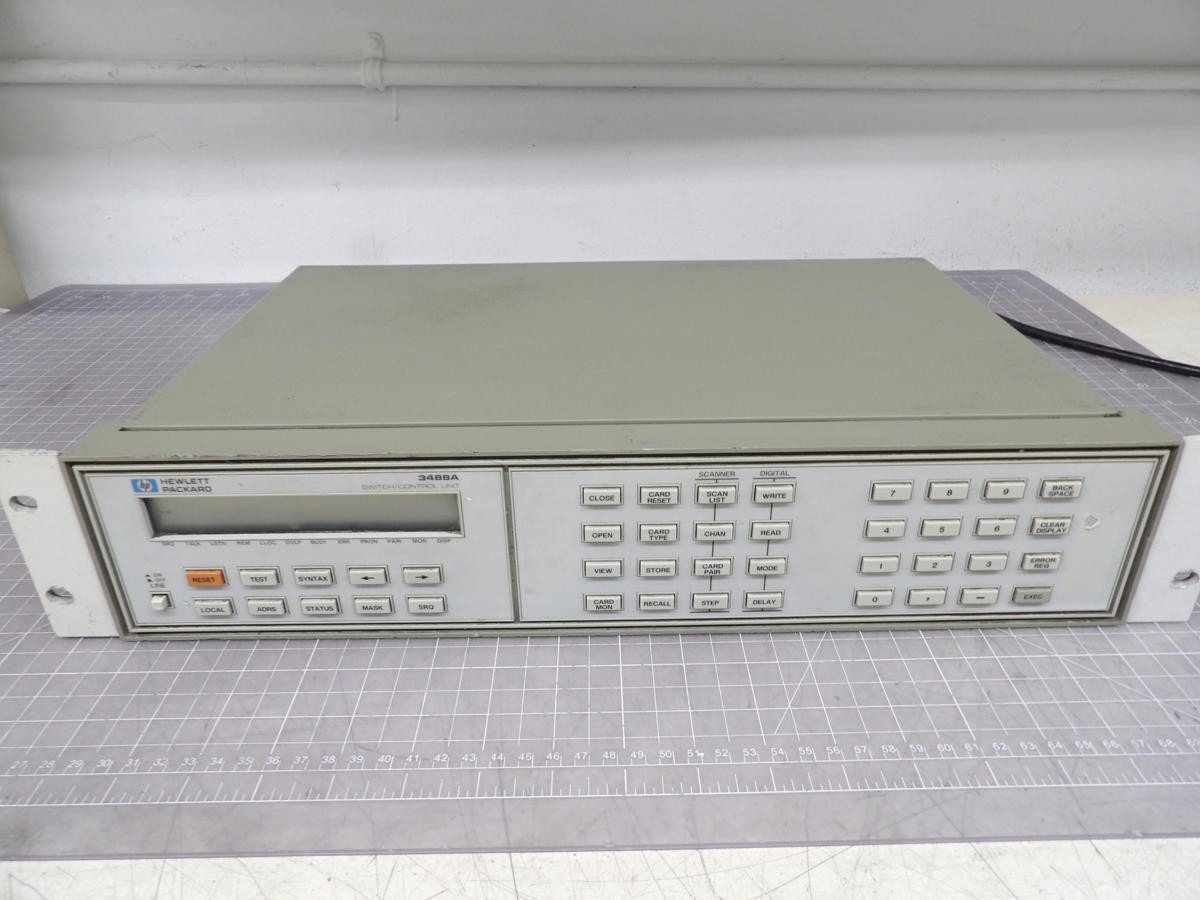
The 3488A is a legacy HP-IB (pre-IEEE 488.2) switch/control unit produced from the early 1980s through the 1990s. It uses a proprietary command syntax rather than SCPI. The instrument does not support *IDN? or other IEEE 488.2 common commands. The 5-slot mainframe accepts a variety of plug-in cards for relay switching, matrix switching, digital I/O, and measurement. Channel addressing uses the slot*100+channel convention (e.g., channel 5 in slot 3 = 305). The 3488A is commonly used for automated test system signal routing, paired with external DMMs or other measurement instruments via GPIB.
Status Byte
Section titled “Status Byte”| Bit 7 | Bit 6 | Bit 5 | Bit 4 | Bit 3 | Bit 2 | Bit 1 | Bit 0 |
|---|---|---|---|---|---|---|---|
| Unused | RQS | SRQ | MAV | Power On | Execution Error | Syntax Error | Data Byte Ready |
| Not used | Requesting service | Service request summary bit | Message available in output buffer | Set after power-on until cleared | Command could not be executed (invalid channel, card not installed) | Command syntax error detected | Digital I/O data byte ready (44474A card) |
Use serial poll to read status byte. SRQ enable mask is set with the S command. This instrument predates IEEE 488.2 so *STB?/*SRE are not available.
Commands
Section titled “Commands”Channel Control
Section titled “Channel Control”Open and close relay channels. Channel numbers use the format slot*100+channel (e.g., slot 1 channel 5 = 105, slot 3 channel 2 = 302). Multiple channels can be specified as a comma-separated list.
| Command | Type | Description |
|---|---|---|
CLOSE {channel} | command | Close (connect) a relay channel |
Details Parameters
Example CLOSE 105 | ||
CLOSE {channel1},{channel2},... | command | Close multiple relay channels simultaneously |
Details Parameters
Example CLOSE 101,102,203 | ||
OPEN {channel} | command | Open (disconnect) a relay channel |
Details Parameters
Example OPEN 105 | ||
OPEN {channel1},{channel2},... | command | Open multiple relay channels simultaneously |
Details Parameters
Example OPEN 101,102,203 | ||
VIEW {channel} | query | Query the state of a specific channel (1=closed, 0=open) |
Details Parameters
Returns (numeric) — 1=closed, 0=open
Example: 1 Example VIEW 105 | ||
Slot Control
Section titled “Slot Control”Reset and query individual card slots
| Command | Type | Description |
|---|---|---|
CRESET {slot} | command | Reset all channels in a slot to their default (open) state |
Details Parameters
Example CRESET 1 | ||
CTYPE? {slot} | query | Query the type of card installed in a slot |
Details Parameters
Returns (string) — Card type number or 0 if slot is empty
Example: 44470 Example CTYPE? 1 | ||
Scanning
Section titled “Scanning”Configure and execute channel scanning sequences
| Command | Type | Description |
|---|---|---|
SCAN {channel1},{channel2},... | command | Define a scan list of channels to step through. Channels are closed one at a time in sequence (break-before-make). |
Details Parameters
Example SCAN 101,102,103,104,105 | ||
STEP | command | Advance to the next channel in the scan list. Opens the current channel and closes the next one. |
NREAD? | query | Query the number of channels remaining in the scan list |
Details Returns (numeric) — Number of channels remaining
Example: 3 | ||
Display Control
Section titled “Display Control”Control the front-panel display
| Command | Type | Description |
|---|---|---|
DISP {text} | command | Display a text message on the front panel (up to 12 characters) |
Details Parameters
Example DISP TESTING | ||
DISP CLR | command | Clear the display and return to normal mode |
SRQ and Status
Section titled “SRQ and Status”Service request enable and status control
| Command | Type | Description |
|---|---|---|
S {mask} | command | Set the SRQ enable mask to control which status byte conditions assert SRQ |
Details Parameters
Example S 4 | ||
E | query | Query and clear error register |
Details Returns (numeric) — Error code (0=no error)
Example: 0 | ||
Digital I/O (44474A Card)
Section titled “Digital I/O (44474A Card)”Commands specific to the 44474A 16-bit digital I/O card. Channel numbers follow the same slot*100+channel format.
| Command | Type | Description |
|---|---|---|
DWRITE {slot}00,{data} | command | Write a 16-bit value to the digital output port |
Details Parameters
Example DWRITE 300,255 | ||
DREAD? {slot}00 | query | Read the 16-bit value from the digital input port |
Details Parameters
Returns (numeric) — 16-bit input value (0 to 65535)
Example: 255 Example DREAD? 300 | ||
Instrument Control
Section titled “Instrument Control”General instrument reset and control
| Command | Type | Description |
|---|---|---|
RESET | command | Reset all cards to default state — opens all relays in all slots |
LOCKOUT {state} | command | Enable or disable front-panel lockout |
Details Parameters
Example LOCKOUT ON | ||
Common Workflows
Section titled “Common Workflows”Open/Close Channels
Section titled “Open/Close Channels”Open and close specific relay channels across multiple slots
Reset all cards to open state
RESET Query what card is in slot 1
CTYPE? 1 Card type number (e.g., 44470) Close channel 3 on slot 1 (10-ch mux)
CLOSE 103 Close channel 7 on slot 2
CLOSE 207 Verify channel 103 is closed
VIEW 103 1 Open channel 103
OPEN 103 Verify channel 103 is open
VIEW 103 0 Scan Channels
Section titled “Scan Channels”Step through a sequence of channels for automated measurement scanning (typically paired with an external DMM)
Reset all cards
RESET Define scan list of 5 channels on slot 1
SCAN 101,102,103,104,105 Step to first channel (closes 101)
STEP Read from external DMM, then advance to next channel
STEP Continue stepping through the list
STEP Query remaining channels in scan list
NREAD? Number of channels remaining