Hewlett-Packard 8657B
8657B
100 kHz to 2060 MHz signal generator
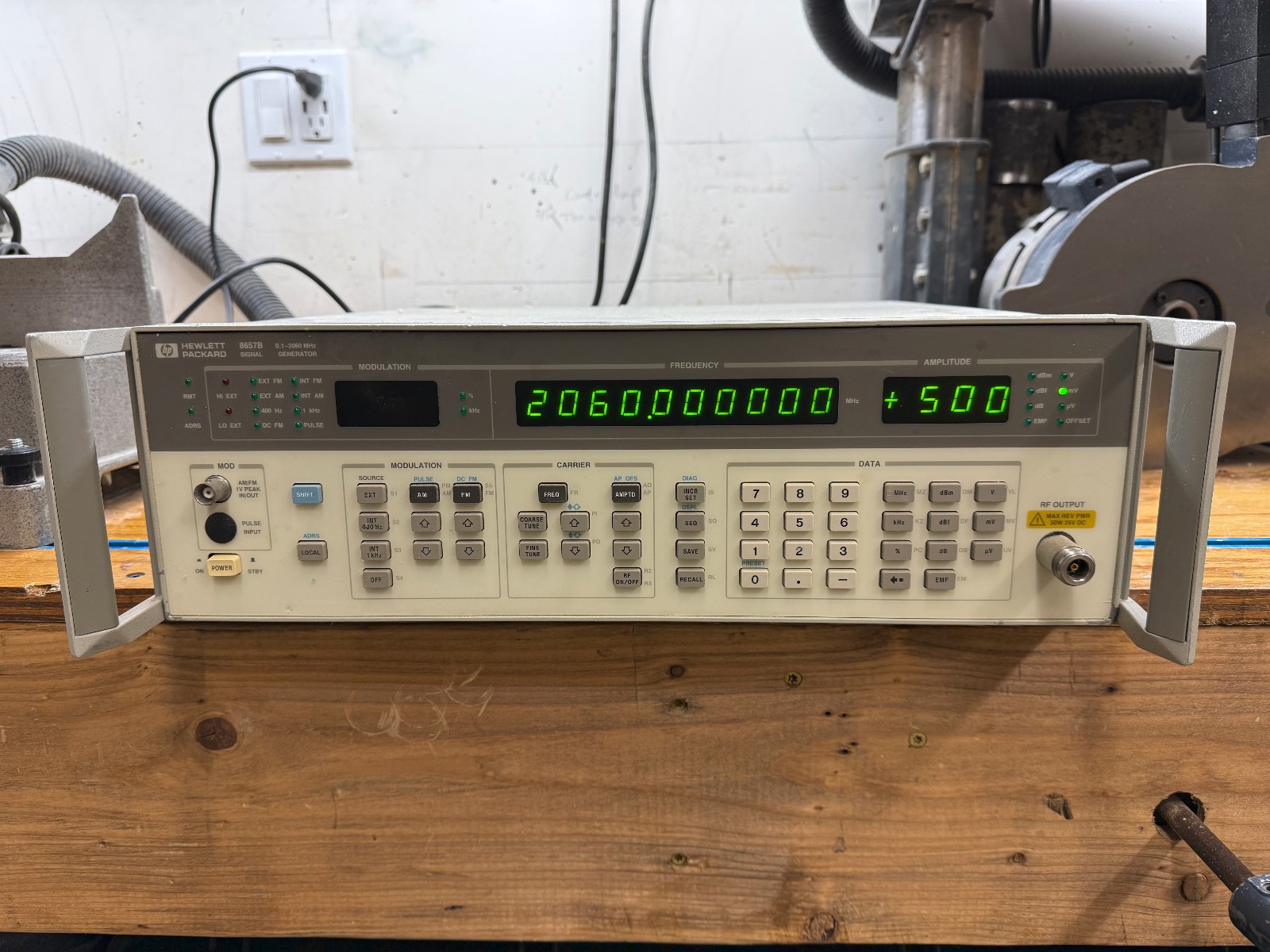
The 8657B is a legacy HP-IB (pre-IEEE 488.2) signal generator produced from the mid-1980s through the 1990s. It uses a proprietary command syntax with short mnemonics and unit suffixes rather than SCPI. The instrument does not support *IDN? or other IEEE 488.2 common commands. Identification must be done by GPIB address or by querying known parameters. Frequency resolution is 1 Hz across the full range. The 8657B is the high-performance variant with lower phase noise and wider frequency range than the 8657A.
Status Byte
Section titled “Status Byte”| Bit 7 | Bit 6 | Bit 5 | Bit 4 | Bit 3 | Bit 2 | Bit 1 | Bit 0 |
|---|---|---|---|---|---|---|---|
| Unused | RQS | ESB | MAV | Settled | Error | Unused | Unused |
| Not used | Requesting service | Event status summary bit | Message available in output buffer | Output frequency/amplitude has settled | Instrument error condition | Not used | Not used |
Use serial poll to read status byte. SRQ mask register controls which conditions assert SRQ. This instrument predates IEEE 488.2 so *STB?/*SRE are not available.
Commands
Section titled “Commands”Frequency Control
Section titled “Frequency Control”Set and query the carrier frequency. Frequency is specified with a numeric value followed by a unit suffix.
| Command | Type | Description |
|---|---|---|
FR{freq}HZ | command | Set carrier frequency in Hz |
Details Parameters
Example FR1000000HZ | ||
FR{freq}KZ | command | Set carrier frequency in kHz |
Details Parameters
Example FR1000KZ | ||
FR{freq}MZ | command | Set carrier frequency in MHz |
Details Parameters
Example FR100MZ | ||
FROA | query | Query current carrier frequency setting |
Details Returns (numeric) — Frequency in Hz
Example: 100000000 | ||
Amplitude Control
Section titled “Amplitude Control”Set and query the output amplitude level. Level is specified with a numeric value followed by a unit suffix.
| Command | Type | Description |
|---|---|---|
AP{level}DM | command | Set output amplitude in dBm |
Details Parameters
Example AP-10DM | ||
AP{level}MV | command | Set output amplitude in mV |
Details Parameters
Example AP100MV | ||
AP{level}UV | command | Set output amplitude in uV |
Details Parameters
Example AP500UV | ||
APOA | query | Query current amplitude setting |
Details Returns (numeric) — Amplitude in dBm
Example: -10.0 | ||
RF Output Control
Section titled “RF Output Control”Enable or disable the RF output
| Command | Type | Description |
|---|---|---|
R1 | command | Turn RF output ON |
R0 | command | Turn RF output OFF |
R3 | command | Query RF output state |
Details Returns (numeric) — 1=ON, 0=OFF
Example: 1 | ||
AM Modulation
Section titled “AM Modulation”Amplitude modulation control. The 8657B supports internal and external AM sources.
| Command | Type | Description |
|---|---|---|
AM{depth}PCT | command | Set AM modulation depth in percent |
Details Parameters
Example AM30PCT | ||
AMOA | query | Query AM depth setting |
Details Returns (numeric) — AM depth in percent
Example: 30.0 | ||
AM{rate}HZ | command | Set internal AM rate in Hz |
Details Parameters
Example AM1000HZ | ||
A1 | command | Turn AM modulation ON |
A0 | command | Turn AM modulation OFF |
AM1 | command | Select internal AM source |
AM2 | command | Select external AM source (rear panel AC input) |
FM Modulation
Section titled “FM Modulation”Frequency modulation control. The 8657B supports internal and external FM sources.
| Command | Type | Description |
|---|---|---|
FM{deviation}HZ | command | Set FM deviation in Hz |
Details Parameters
Example FM75000HZ | ||
FM{deviation}KZ | command | Set FM deviation in kHz |
Details Parameters
Example FM75KZ | ||
FMOA | query | Query FM deviation setting |
Details Returns (numeric) — FM deviation in Hz
Example: 75000 | ||
FM{rate}RS | command | Set internal FM rate in Hz |
Details Parameters
Example FM1000RS | ||
F1 | command | Turn FM modulation ON |
F0 | command | Turn FM modulation OFF |
FM1 | command | Select internal FM source |
FM2 | command | Select external FM source (rear panel DC input) |
SRQ and Status
Section titled “SRQ and Status”Service request mask and status byte control. Uses proprietary HP-IB status system, not IEEE 488.2.
| Command | Type | Description |
|---|---|---|
MS{mask} | command | Set SRQ mask register to control which conditions assert SRQ |
Details Parameters
Example MS4 | ||
MSOA | query | Query SRQ mask register |
Details Returns (numeric) — Current mask value
Example: 4 | ||
Instrument Control
Section titled “Instrument Control”General instrument preset and control commands
| Command | Type | Description |
|---|---|---|
IP | command | Instrument preset - reset to default state (carrier off, -143.5 dBm, 100 kHz) |
CS | command | Clear status — clears error conditions and status byte |
Common Workflows
Section titled “Common Workflows”Set Carrier Frequency
Section titled “Set Carrier Frequency”Configure and enable a CW carrier signal at a specific frequency and level
Preset instrument to known state
IP Set carrier frequency to 100 MHz
FR100MZ Set output level to -10 dBm
AP-10DM Turn RF output on
R1 AM Modulation Setup
Section titled “AM Modulation Setup”Configure an AM-modulated carrier for receiver testing
Preset instrument to known state
IP Set carrier frequency to 455 kHz
FR455KZ Set output level to -30 dBm
AP-30DM Set AM depth to 30%
AM30PCT Set AM rate to 1 kHz (internal)
AM1000HZ Select internal AM source
AM1 Turn AM modulation on
A1 Turn RF output on
R1